
ALN POS / QSR Point of Sale

Fast at the counter. Reliable behind it.

ALN POS connects fast order taking, mixed payments and held orders with controlled transactions, cashier shifts, X/Z readings and electronic journals. Local persistence and offline-ready access keep your team moving.
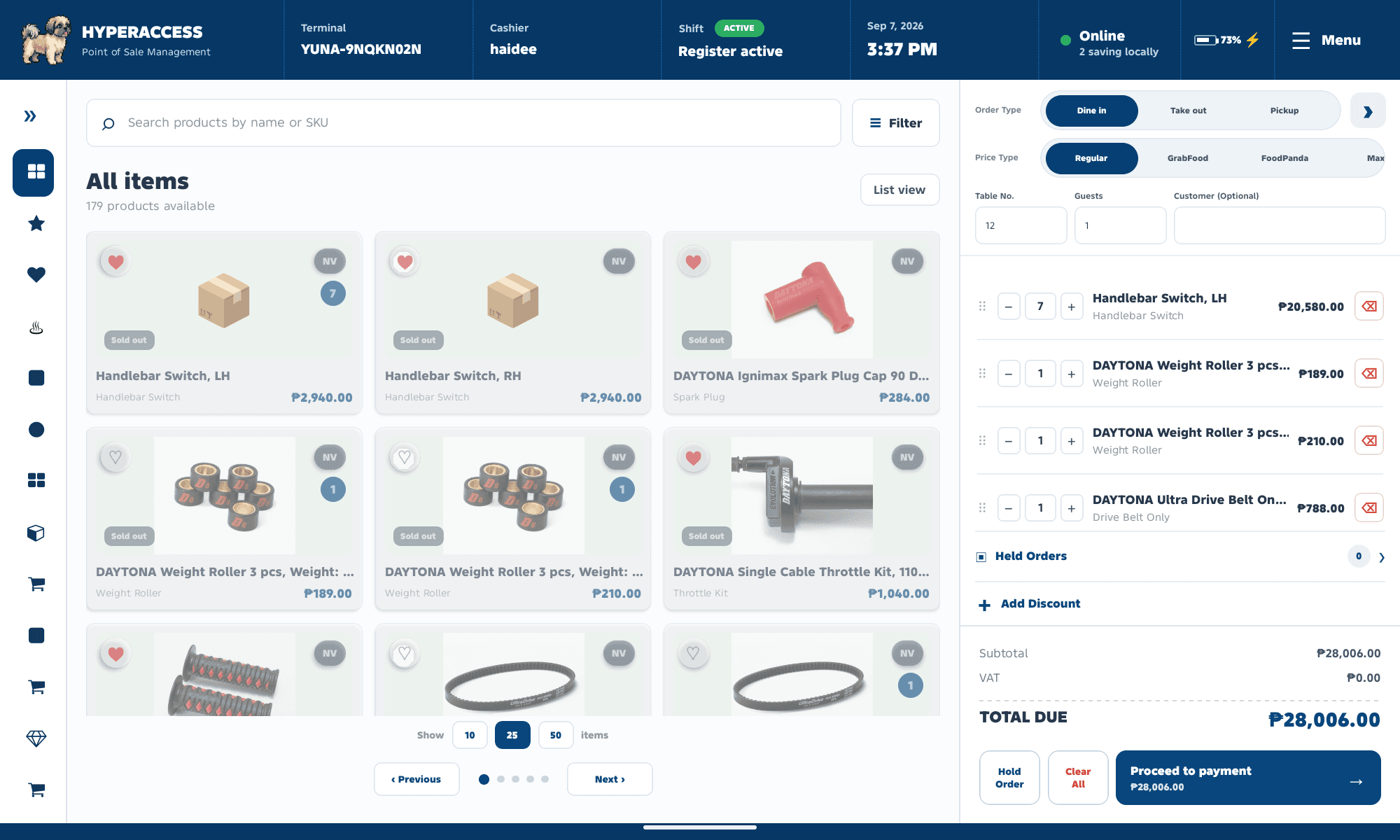
Hyper-Access · ALN POS / QSR Point of Sale
ALN POS product catalog with search, stock availability, active shift and current order cart
Offline-ready
Previously authenticated users can continue with local access on the same device.
Shift-aware
Active shifts protect sale-changing actions and checkout.
Supervisor-ready
X/Z readings, journals, reconciliation and approval controls support oversight.

Designed for the work

Built for service. Ready for oversight.

From the first order to the final shift count, give cashiers and supervisors the tools to keep operations clear and connected.

Order & Checkout

Browse categories, favorites and stock filters, adjust quantities, apply discounts, and accept single or mixed cash, card and e-wallet payments.

Hold & Retrieve Orders

Pause an order without completing a sale. Serve the next customer, then restore the saved quantities and order details.

Voids, Refunds & Reprints

Review sales and reprint receipts. Void individual lines or full sales and process refunds with reasons and approvals where required.

Inventory Visibility

Use cached inventory, refresh from YUNA when available, inspect stock levels, and manage local availability overrides and category icons.

Cashier Shift & X Reading

Record opening cash, track expected drawer cash, preview an X Reading, and reconcile closing counts and end-shift variance.

Supervisor Monitor & Z Reading

Review company/device records, payment totals, journals, X/Z history, reconciliation and local/backend status.

Workflow explorer

Every step, connected.

Explore how cashiers and supervisors move through daily service, transaction controls and reporting.

From sign-in to shift close

One connected workspace for cashier service and operational oversight.

  1. Sign in & restore

    Sign in and restore the account workspace, including the cart, held orders, shift and saved transactions.

  2. Serve customers

    Activate a shift when needed, build orders and complete sales.

  3. Manage operations

    Access transactions, inventory, supervisor tools and settings as permitted.

  4. Finish the day

    Complete the end-shift workflow or log out of the session.
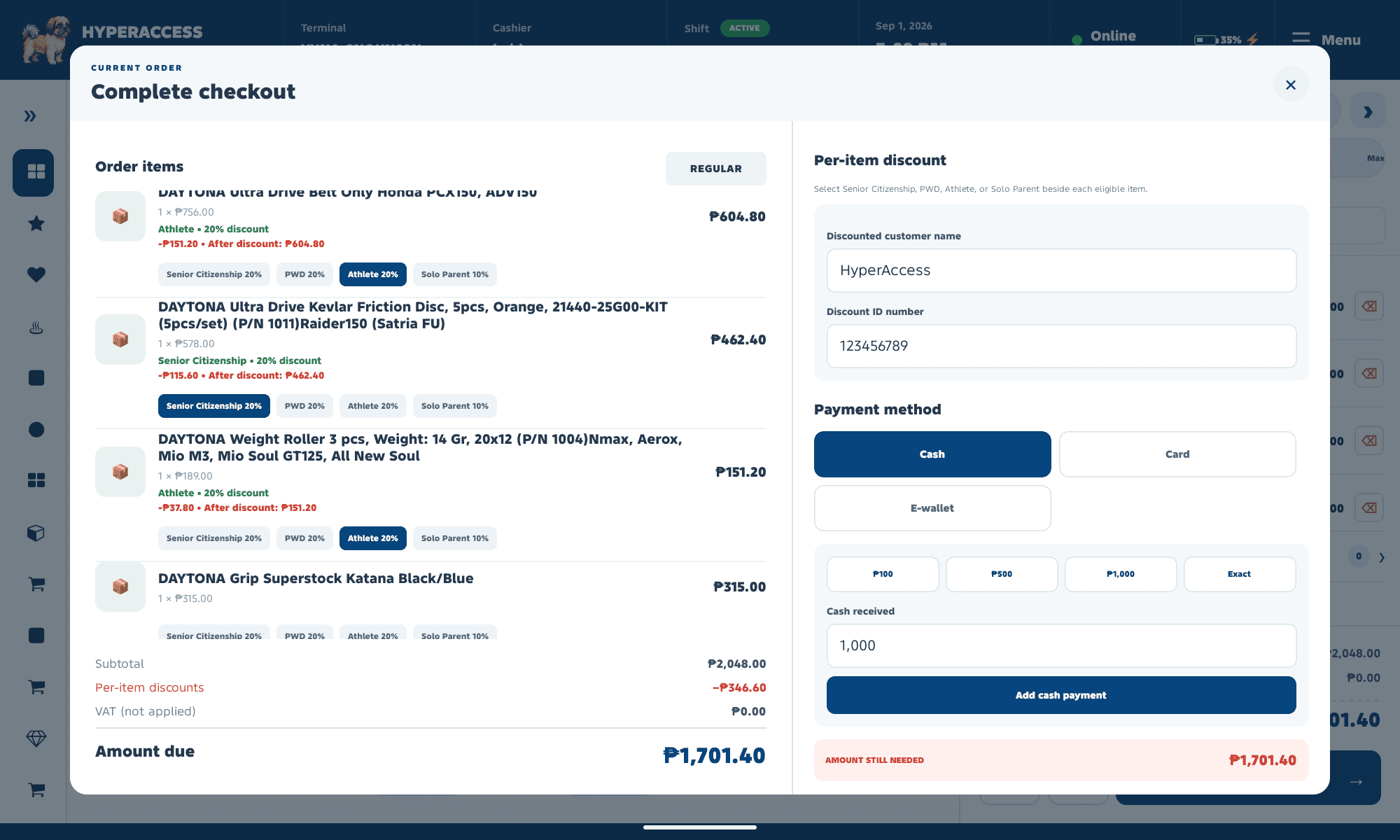
ALN POS checkout showing order items, per-item discounts and cash, card or e-wallet payment options
Order details, eligible discounts and payment allocations together in the checkout workspace.

Designed for continuity

Keep moving, even offline.

When connectivity becomes unreliable, local access and saved data help keep counter operations moving.
Offline access
After successful online authentication on the same device, returning users can sign in with offline password access.
Local PIN
A saved local PIN authenticates the selected username without a new server login.
Workspace restoration
Restore the account-scoped cart, held orders, shift and saved transactions. Cached company inventory remains usable when a fresh fetch is unavailable.
Persistent records
Transactions and electronic journal snapshots persist locally, with visibility into local and backend status.
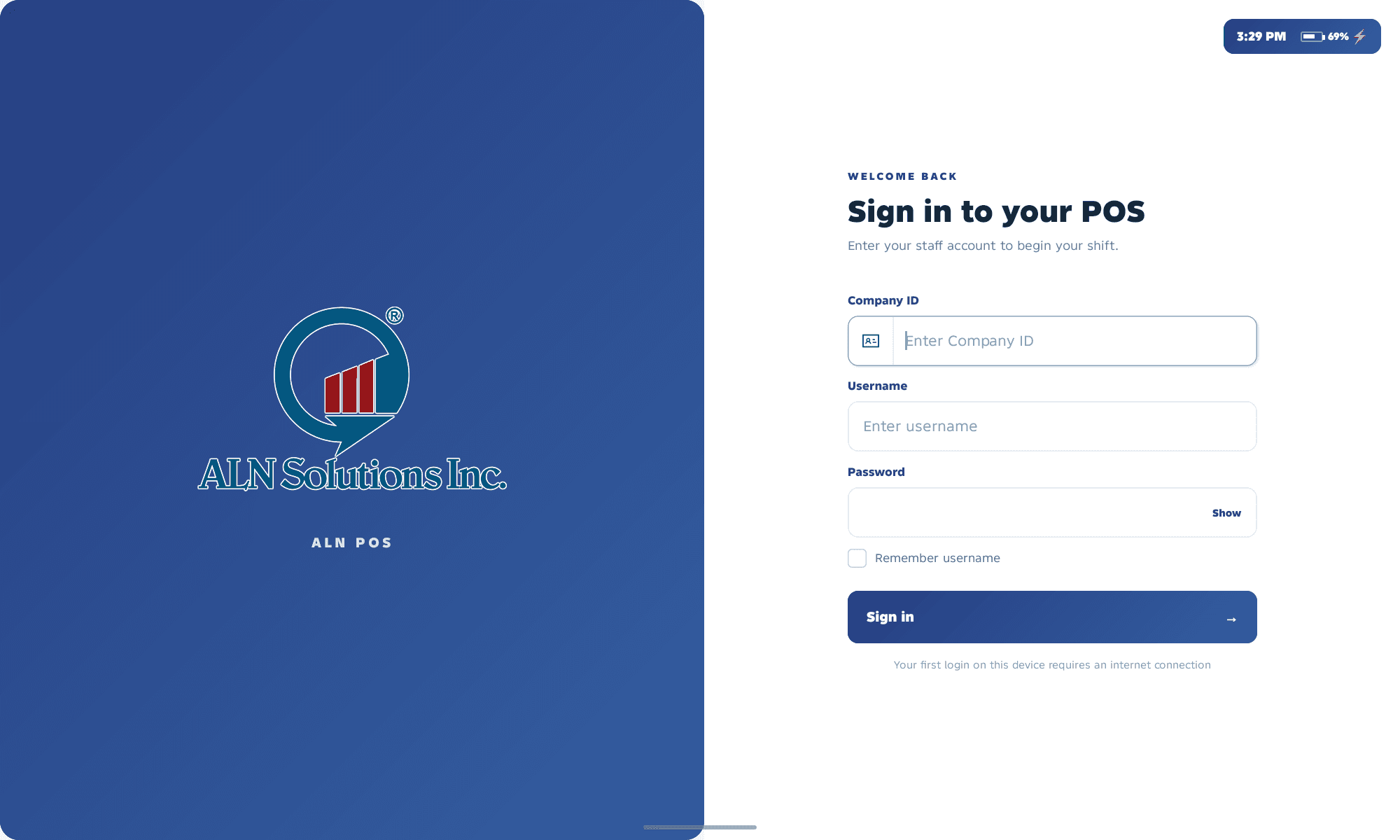
ALN POS sign-in screen with company, username and password fields and a first-login internet connection notice
First-time authentication requires an internet connection. Returning users can use locally saved access on the same device.
Local transaction state
Follow records through pending, syncing, synced and failed states.
Inventory refresh
Fresh YUNA data replaces the cached snapshot, with local item overrides merged back in.
Protected actions
Checkout, transaction and shift actions respect configured authorization controls.
Session security
A one-minute warning appears after nine minutes of inactivity, before the ten-minute session limit.

Module coverage

A clear workspace for every task.

Dedicated areas inside ALN POS connect daily cashier work with store settings and supervisor oversight.

Point Of Sales
Catalog, cart, held orders, checkout, receipts and the availability modal.
Categories
Authorized category-icon editing over the POS workspace.
Transactions
Current cashier sales, receipt reprints, voids and refunds.
Supervisor Monitor
Device/company reconciliation, X/Z history, journals and save/transmission status.
My Shift
Cash count, current X Reading and the end-shift workflow.
Settings
Store and receipt profiles, logo, density, PIN and protected-action preferences.

See ALNPOS in action

Ready for a smoother checkout?

Tell us about your business, and our team will help you find the right ALNPOS setup.

Hyperbooks Accounting System

By clicking on Start Now,
you accept our Subscription Agreement and Privacy Policy

Hyper-Access Solutions

Modernize your counter operations with ALN POS.

A complete QSR operations platform, from cashier service and controlled transactions to shift reporting, journals and supervisor oversight.

Contact sales