Resident Portal
Self-registration, service selection, household status, and live request tracking from Pending through completion.
Barangay Management System
Bring resident requests, document approvals, health services, emergency response, Lupon cases, payments, projects, and administrative oversight into one connected workflow.
Designed for the work
Residents start requests online, designated officers make decisions, staff complete approved transactions, and Admin receives consolidated visibility across modules.
Self-registration, service selection, household status, and live request tracking from Pending through completion.
Clearance, certificates, and Barangay ID requests go to the Captain or Secretary for approval before staff issuance.
Appointment slots, approvals, check-up records, diagnosis capture, resident health history, and medical certificate issuance.
Seismic monitoring, resident safety check-ins, optional live-location pinning, and response-team dispatch support.
Walk-in complaint intake, mediation and status tracking, plus issuance of blotter reports or certificates.
A consolidated view of budgets, projects, payment history, remittances, residents, and module reporting.
System flow
Follow each service from the first request to its outcome. Select a journey to explore the responsibilities at every step.
Barangay Clearance, certificates, and Barangay ID
Selects a document type and completes the required details. The request becomes Pending and Captain / Secretary are notified.
Reviews and approves or rejects the request. The Secretary can approve when the Captain is unavailable.
Only after approval, prepares the document for issuance.
Handles e-signature when the Captain is unavailable or busy, or uses a manual signature. The document becomes Ready for Release.
Sees Ready for Release and proceeds to the barangay hall.
Releases the document and collects payment when applicable. The transaction is logged in Payment History.
Generates a daily or weekly remittance report for the Budget Office / Admin.
Staff has no role in the review or approval stage. Staff becomes involved only after approval.
Product interface
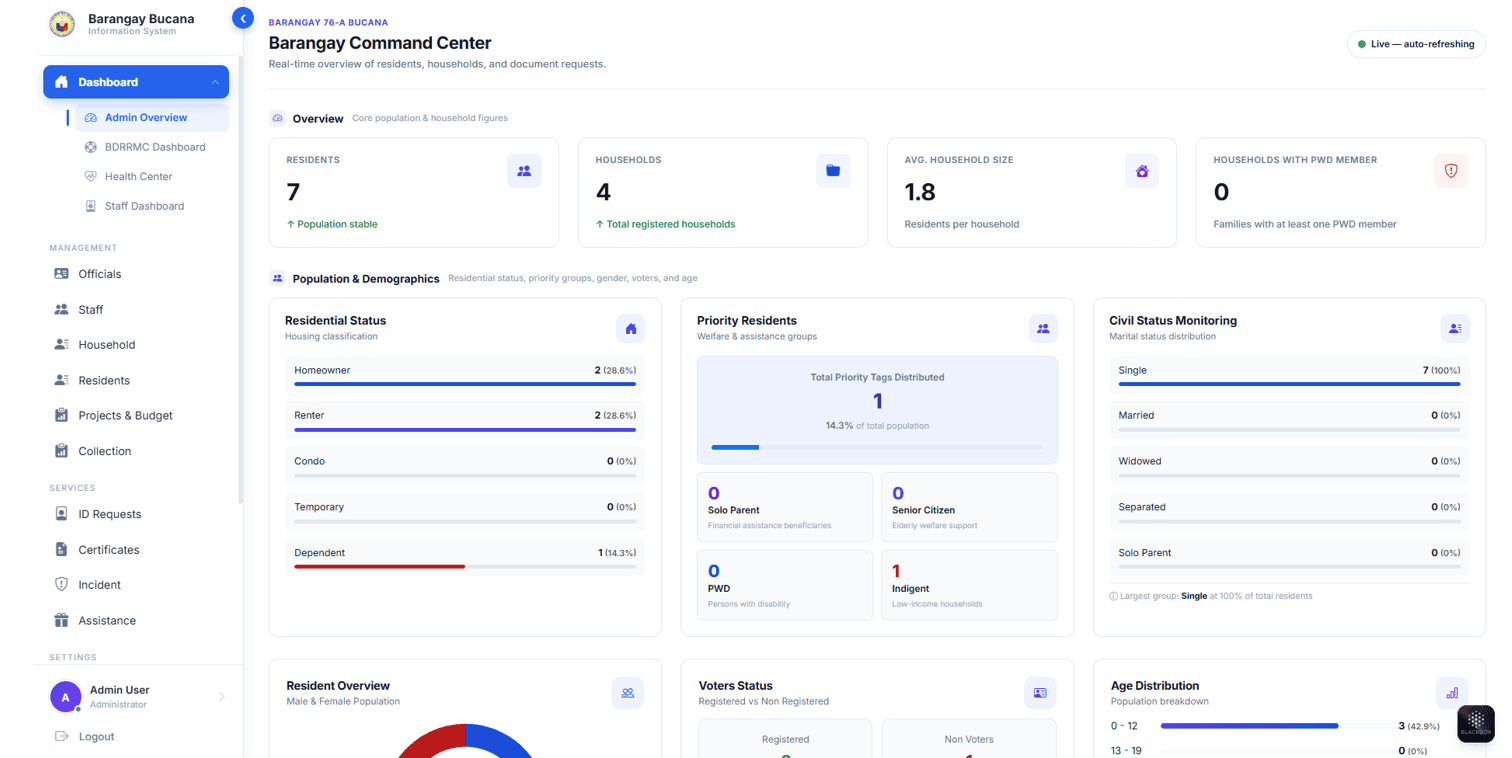
Summary cards, status indicators, quick actions, and detailed management tables keep operations visible. Select a screenshot to view it at full size.
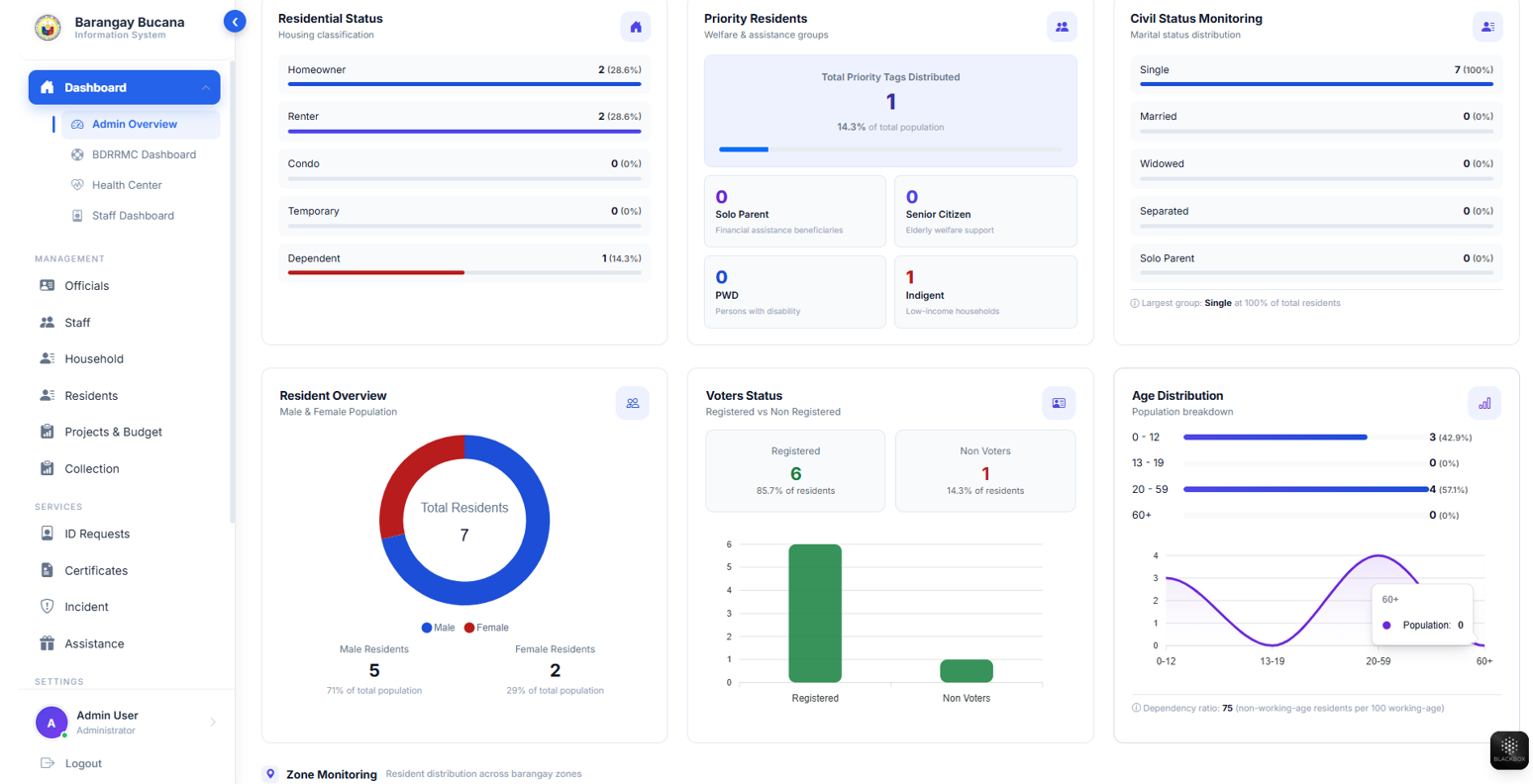
At-a-glance resident, request, budget, payment, and activity monitoring.
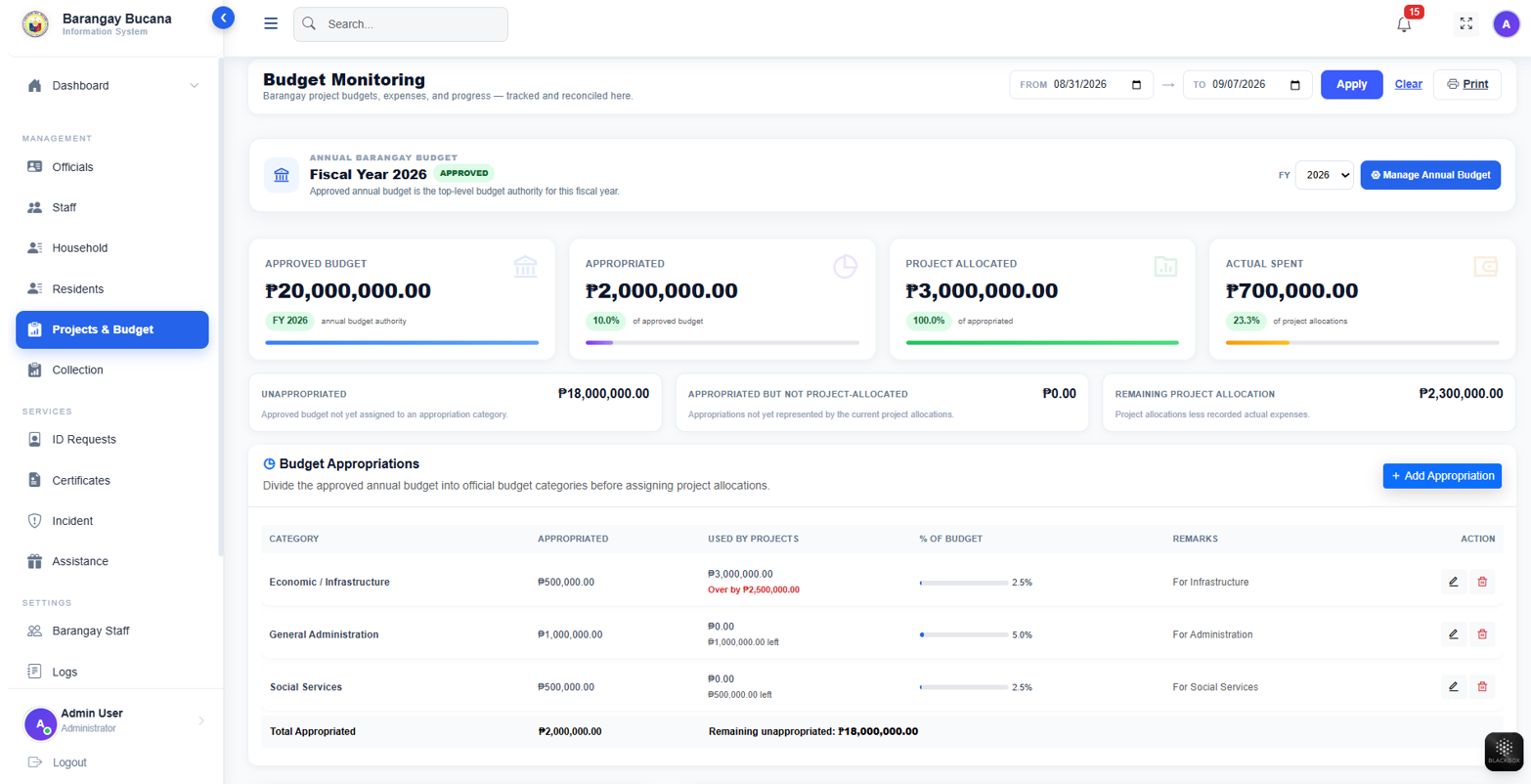
Track allocation, utilization, project status, and budget entries.
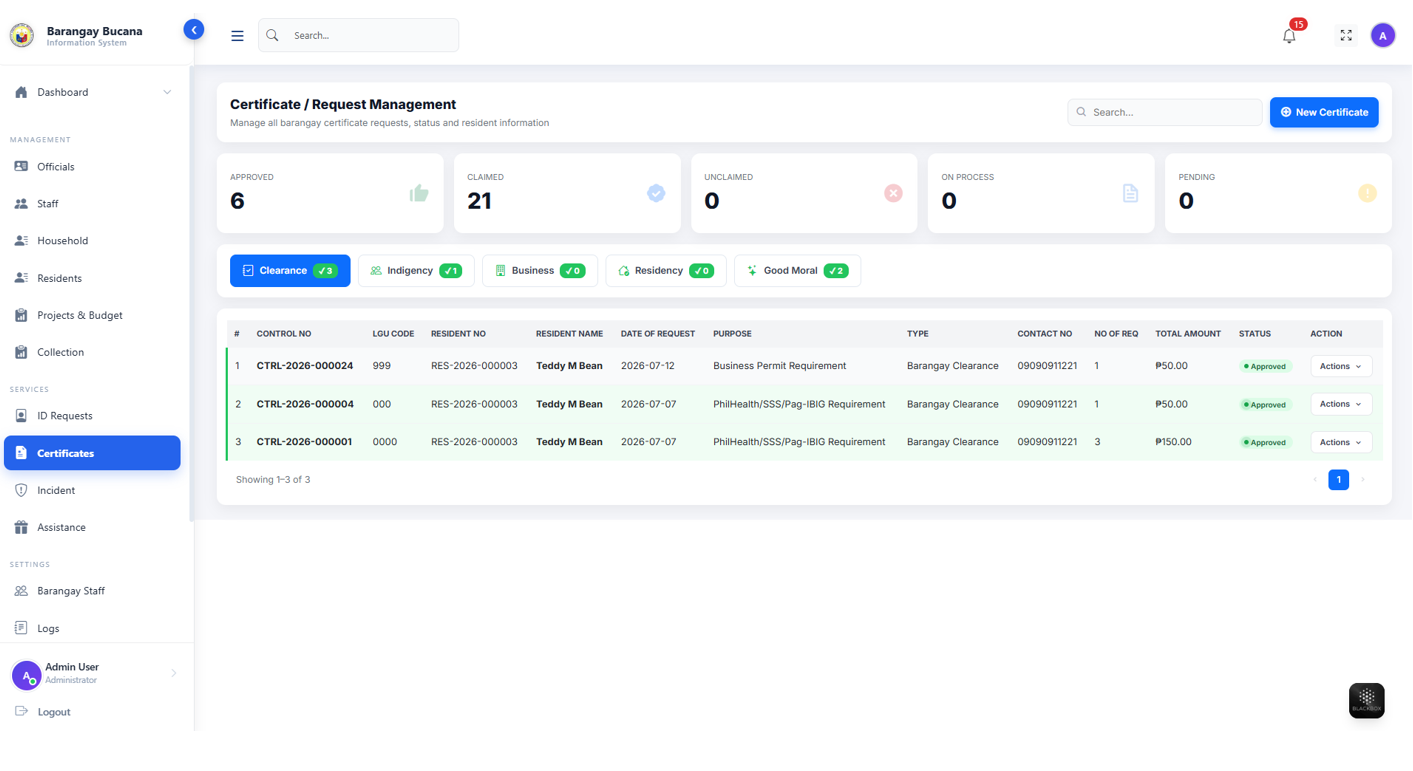
Monitor request volume, statuses, decisions, and release progress.
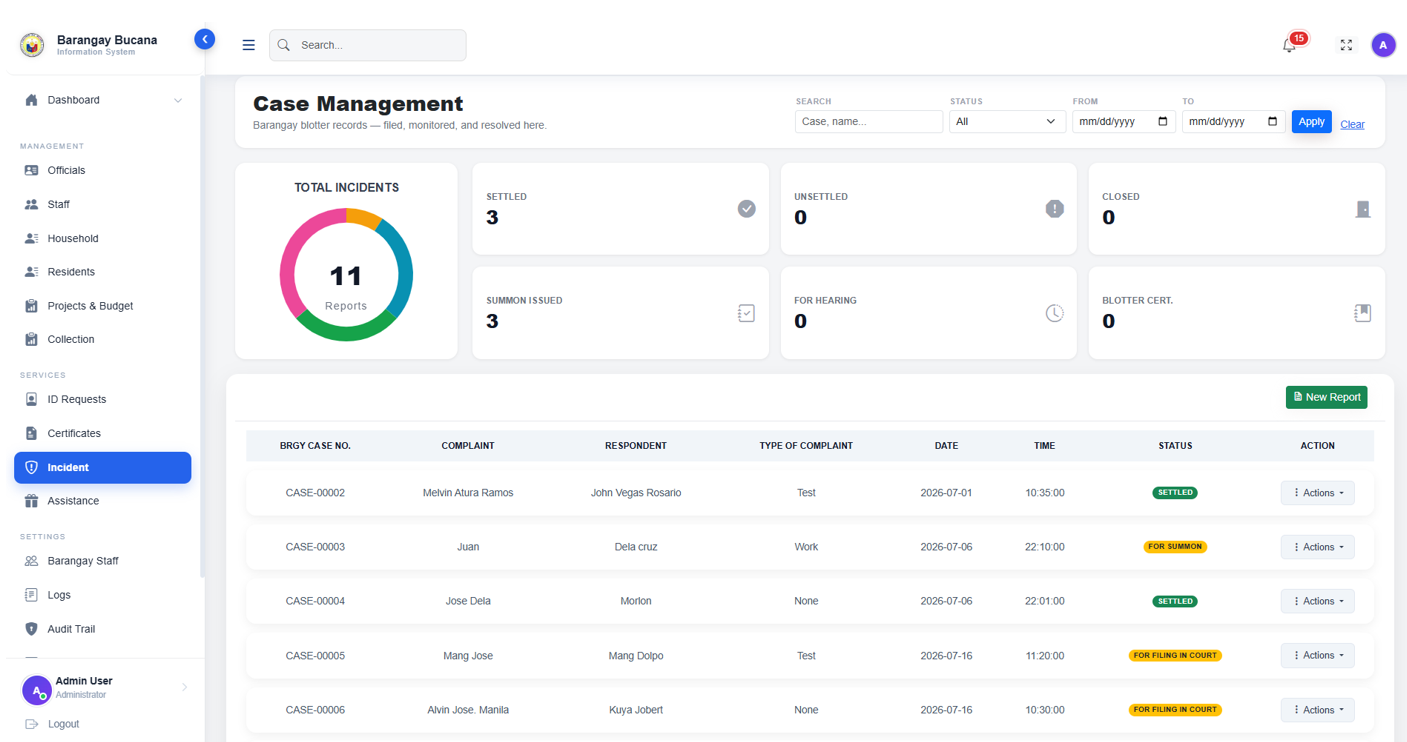
A Lupon-facing overview of case counts, status, mediation, and case records.
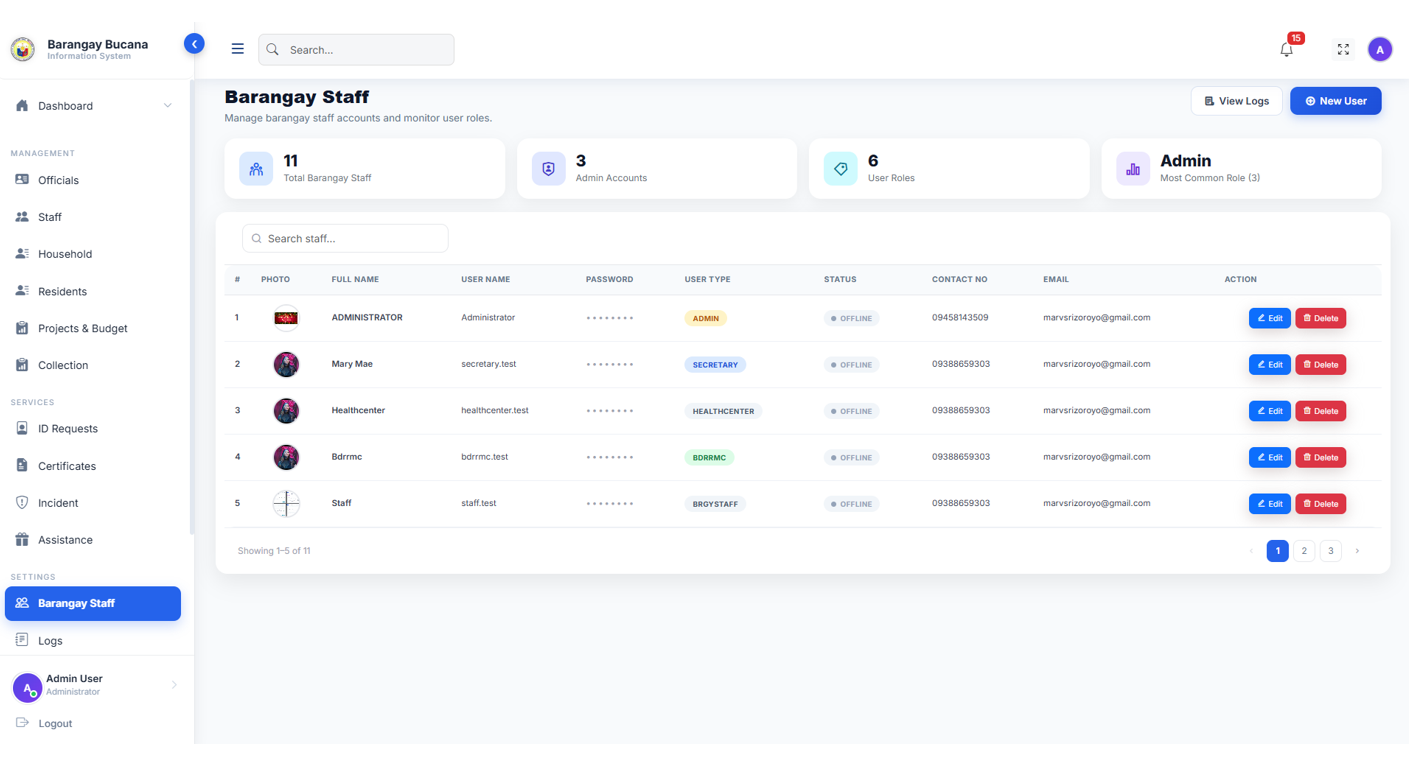
Manage personnel, roles, statuses, and role-oriented access.
Roles & governance
Each role sees the functions needed for its part of the service lifecycle, with distinct responsibilities for approvals, issuance, monitoring, and oversight.
Resident
Registers, requests services, books health appointments, tracks statuses, and responds to emergency safety prompts.
Captain / Secretary
The Captain or backup Secretary reviews service requests. The Secretary also has broad monitoring visibility.
Staff / Health / Lupon
Staff completes approved documents and payments. Specialized teams handle healthcare and walk-in case workflows.
Admin
Reviews budgets, projects, payment history, remittances, and reports from connected operational modules.
Hyper-Access Solutions